
The free LAN messenger that needs no server.
Chat, call and send files to everyone on your local network. Install it on each PC and they find each other in seconds — no server to set up, no account to create, and nothing ever leaves your building.
Free · No ads · No subscription · No per-seat licence
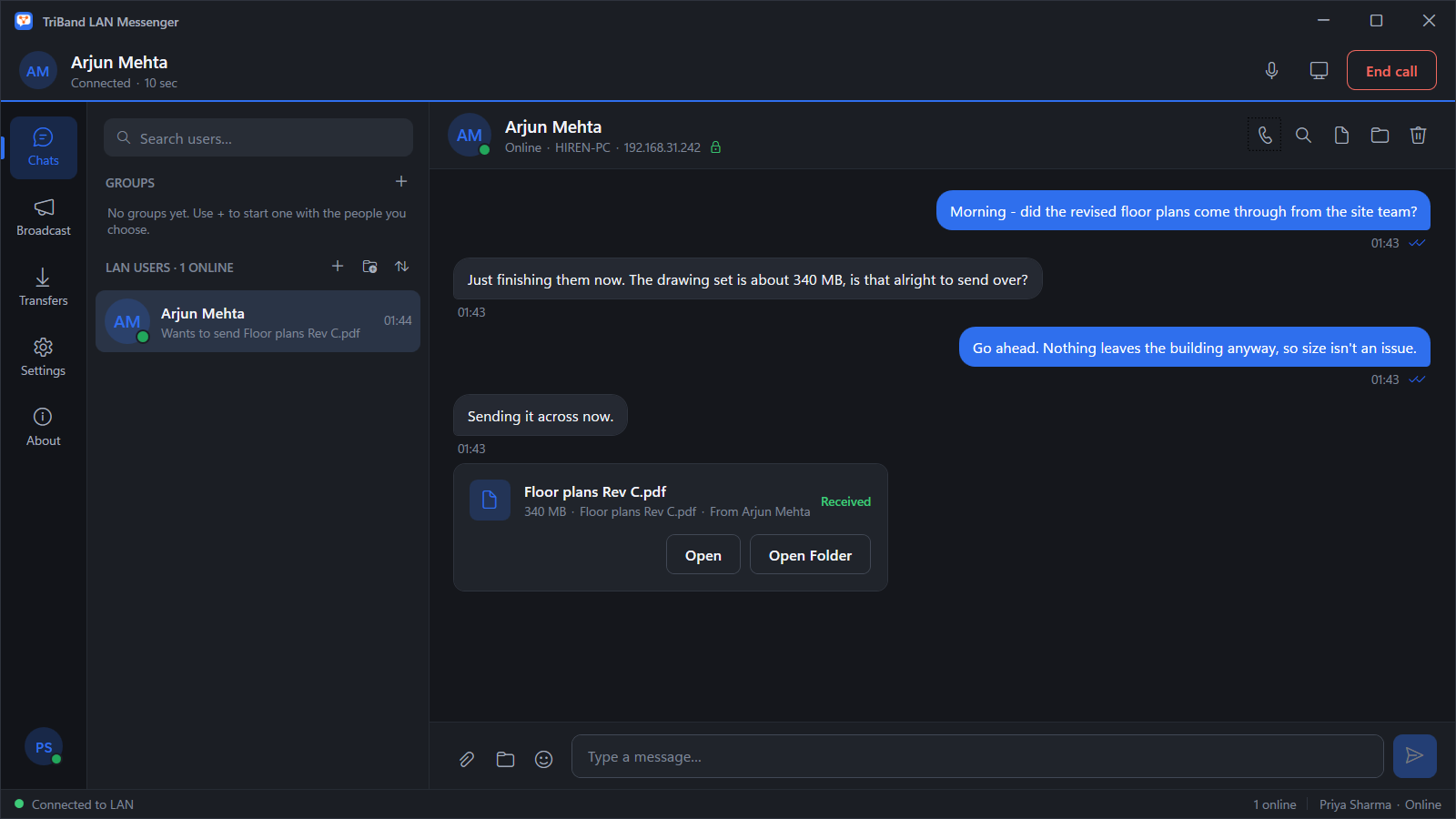
Working in under a minute
-
01
Install on every PC
Get it free from the Microsoft Store on each computer that should be able to chat.
-
02
Allow private networks
Windows asks once for firewall access. It is only ever requested for private and domain networks.
-
03
Start talking
Everyone running it on the network appears automatically. Pick a name and send the first message.
Your office chat, without the cloud
Built for offices, workshops, studios, clinics, schools and sites that have a network but would rather their conversations and files never touched the internet.
Works when nothing else does
The internet going down does not affect it. Nothing is hosted or synced, and no cloud service can fail, change its pricing or close your account.
Nothing to set up
No server component, no administrator console, no IP addresses to type. Computers discover each other over the local network.
Send anything, at any size
Files and whole folders go straight to the other PC at full network speed. Every transfer is SHA-256 verified, and an interrupted one resumes rather than restarts.
Talk and share your screen
Call anyone on the network and share your screen while you talk. Audio and screen travel directly between the two computers.
Private by construction
Traffic is encrypted with TLS 1.2 or 1.3 with certificate pinning. History is stored only on your own PC, with no telemetry, analytics or advertising.
Ready for a whole office
Group chats, a broadcast channel for announcements, polls, and contact folders to keep a long list of colleagues organised.
What it looks like
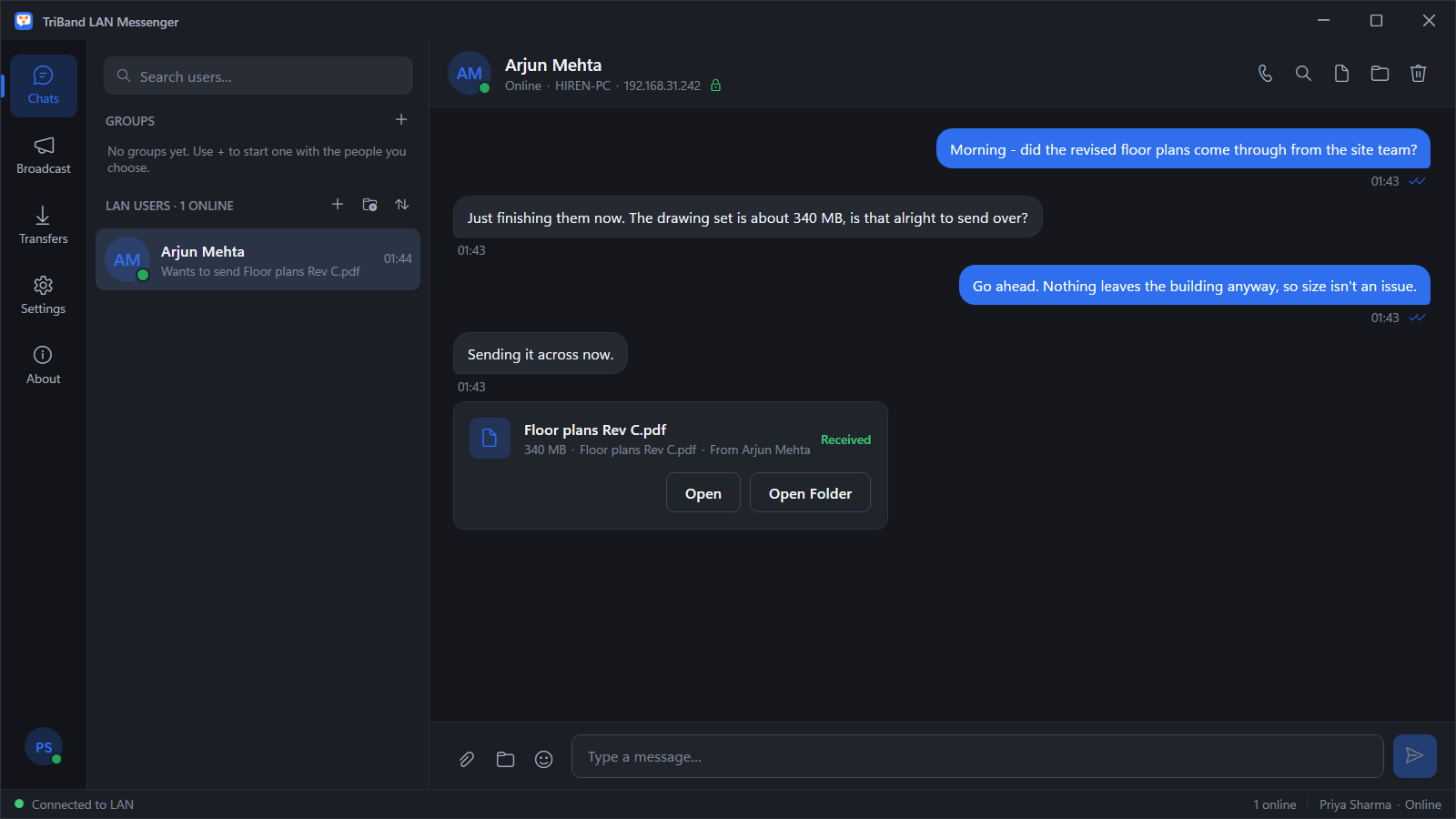
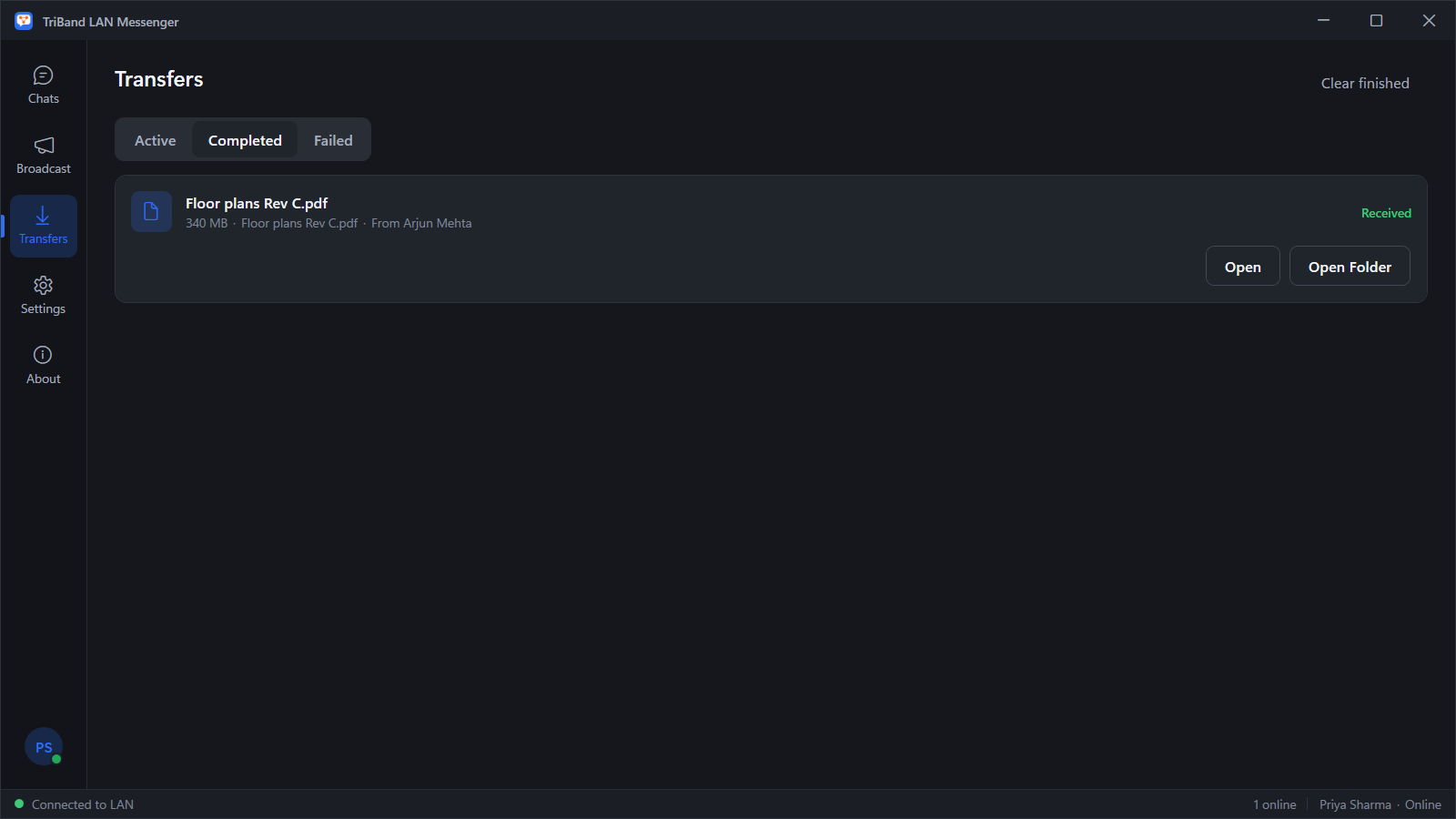
- Group chats
- Broadcast channel for announcements
- Polls with live results
- Search across your whole history
- Offline outbox — delivers when someone returns
- Reactions, edit and delete
- Paste screenshots straight into a chat
- Add a PC by IP address across subnets
- Optional start-up PIN
- Light and dark themes
How it compares
Most LAN messengers are paid per seat, and several need a server installed somewhere on the network. Cloud chat tools need the internet and an account for every person.
| Feature | TRIBAND LAN Messenger | Typical paid LAN messenger | Cloud chat |
|---|---|---|---|
| Price | Free | Per-seat licence | Per-user subscription |
| Server to install | None | Often | Hosted by the vendor |
| Works without internet | Yes | Yes | No |
| Accounts | None | Sometimes | Required |
| Where messages are kept | Your own PCs | Varies | The vendor’s servers |
45820 for discovery, and TCP
45821, 45822 and
45825 for messages, file transfers and calls. All are
configurable in Settings. Windows Firewall access is requested for private and
domain networks only, never public.
Install it on two PCs and see for yourself
It takes under a minute, it costs nothing, and you will know straight away whether it suits your office.
